How AI Scanning Works
CookStache uses AI image recognition to identify BBQ products from a photo. Point your camera at a rub, sauce, seasoning, or any grilling product, and the AI reads the label to figure out what it is — no barcode needed.
Taking a Scan
From the Add to Stache screen, tap AI Scan. Your camera opens with a clean viewfinder. Position the product so the label is visible and tap the shutter button to capture the photo.
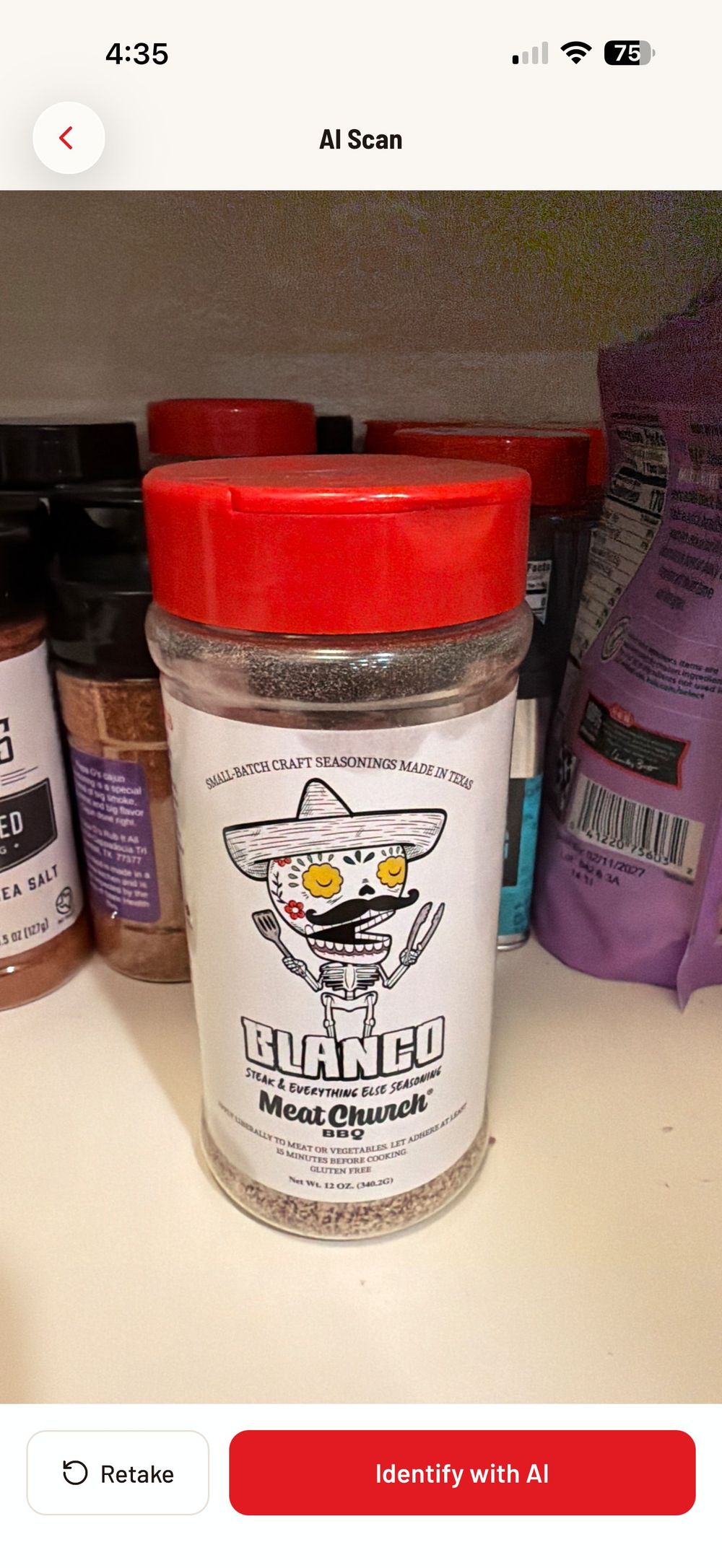
You will see two buttons at the bottom: "Retake" if the photo is blurry or the label is cut off, and "Identify with AI" to send it for recognition.
What Happens Next
When you tap "Identify with AI," the photo is sent to the AI which analyzes the label text, branding, and product imagery. Within a few seconds it returns the product name, brand, and category.
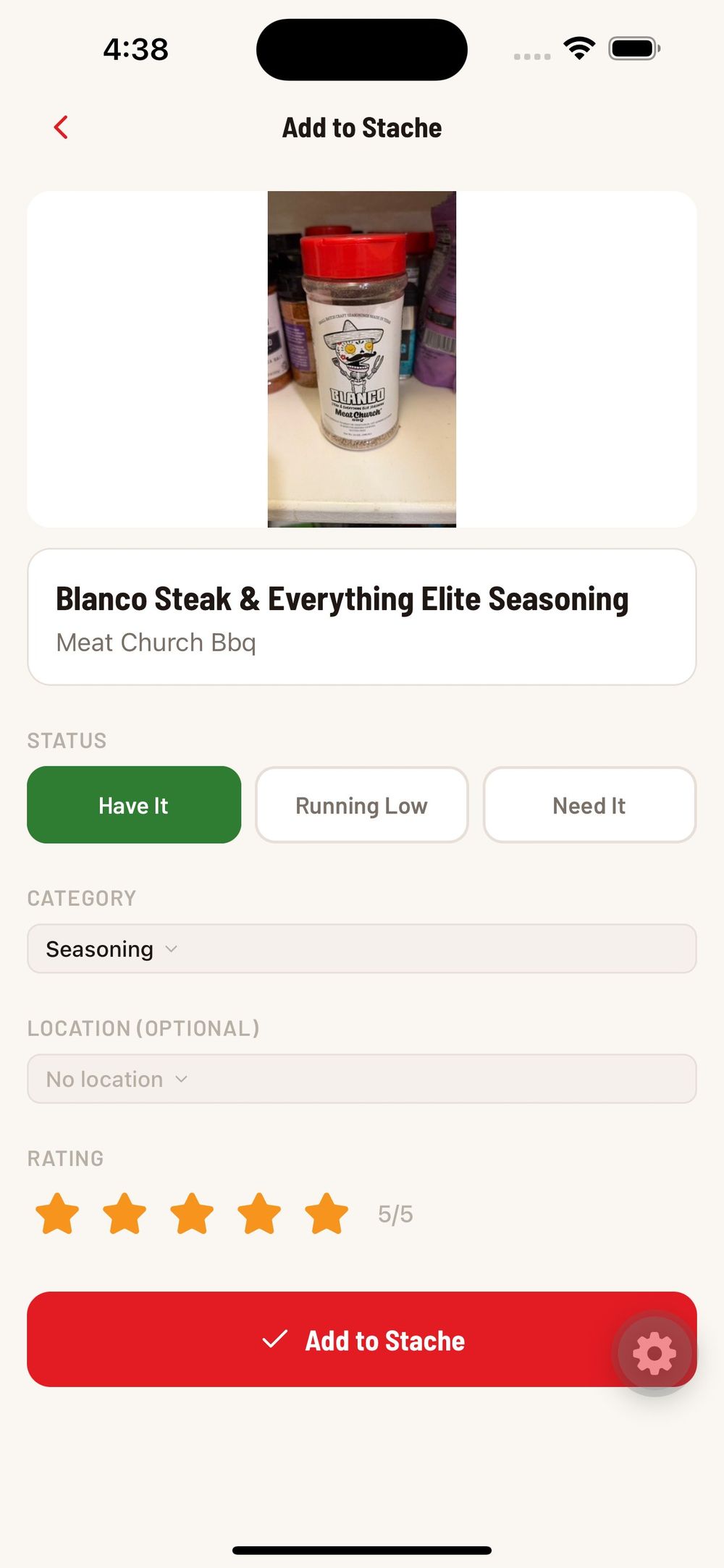
In this example, the AI correctly identified "Blanco Steak & Everything Elite Seasoning" by "Meat Church Bbq" and categorized it as a Seasoning. The status defaults to "Have It" since you are scanning something in front of you.
From here you can adjust any details, add a rating, and tap "Add to Stache" to save it.
What the AI Can Identify
The AI works best with commercially packaged BBQ products that have clear labels:
Rubs and seasonings — bottles, shakers, and bags with visible brand names.
Sauces and marinades — bottles and jars with product labels.
Oils and sprays — cooking oils, tallow, sprays.
Meats — packaged meats with store labels showing cut and weight.
Wood — bags of wood chips, chunks, or pellets with brand labels.
Tips for Best Results
Get the full label in the frame. The AI reads the text on the label, so make sure the product name and brand are visible.
Use good lighting. Natural light or bright kitchen lighting gives the clearest results. Avoid dark or heavily shadowed shots.
Scan one product at a time. The AI focuses on a single item per photo.
Hold steady. A blurry photo makes it harder for the AI to read the text. If the result is not right, tap Retake and try again.
If the AI Gets It Wrong
No AI is perfect. If the name, brand, or category comes back incorrect, you can edit any field on the confirm screen before saving. Your corrections help improve the product catalog for everyone over time.
If the AI cannot identify the product at all, it will let you know. In that case, tap the back arrow and try the Barcode or Manual entry method instead.
Was this helpful?
Still need help?
Email us at hello@cookstache.com