Cook With My Stache Suggestions
Not sure what to cook tonight? Let the AI figure it out. "Match my stache" looks at everything in your inventory right now and suggests cooks you can make with what you already have on hand — no trip to the store needed.
Getting Suggestions
Go to the Cooks tab, tap "+ Add," and select "Match my stache" at the bottom of the menu. The AI analyzes your current stache and generates cook suggestions tailored to your specific inventory.
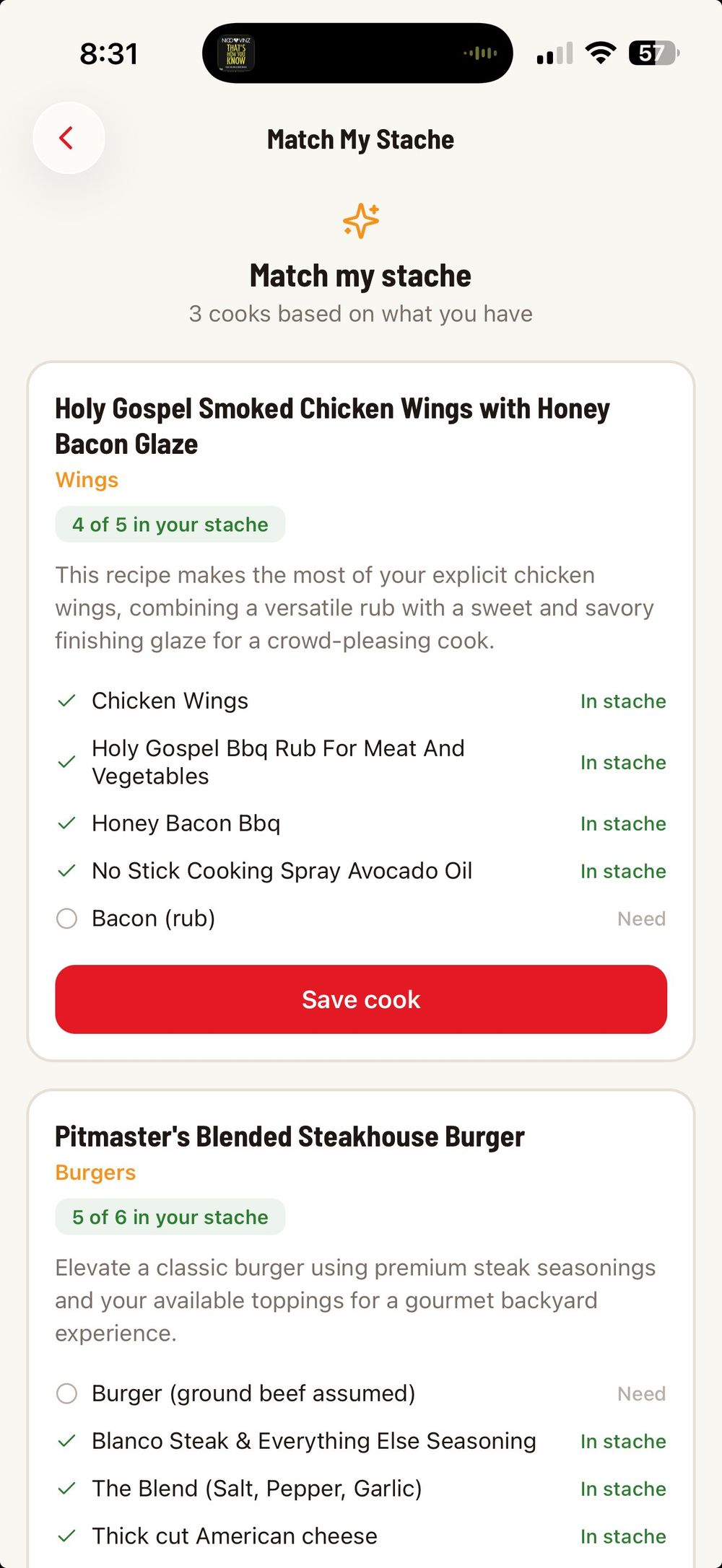
After a few seconds, you will see a list of suggested cooks. Each suggestion includes a creative recipe title, the protein type, a short description of the dish, and a full ingredient list showing what comes from your stache and what you might need.
The ingredient matching works the same way as recipe imports:
"In stache" (green checkmark) means you have this item ready to go.
"Need" (gray circle) means you will need to pick this up or substitute something else.
The counter at the top of each suggestion (like "4 of 5 in your stache") gives you a quick read on how close you are to having everything.
Tap "Save cook" on any suggestion to add it to your Cooks list. From there you can start cooking right away or save it for later.
What a Saved Suggestion Looks Like
Once you save an AI suggestion, it becomes a full cook in your library with all the details filled in — protein, ingredients with stache matching, and step-by-step instructions generated by the AI.
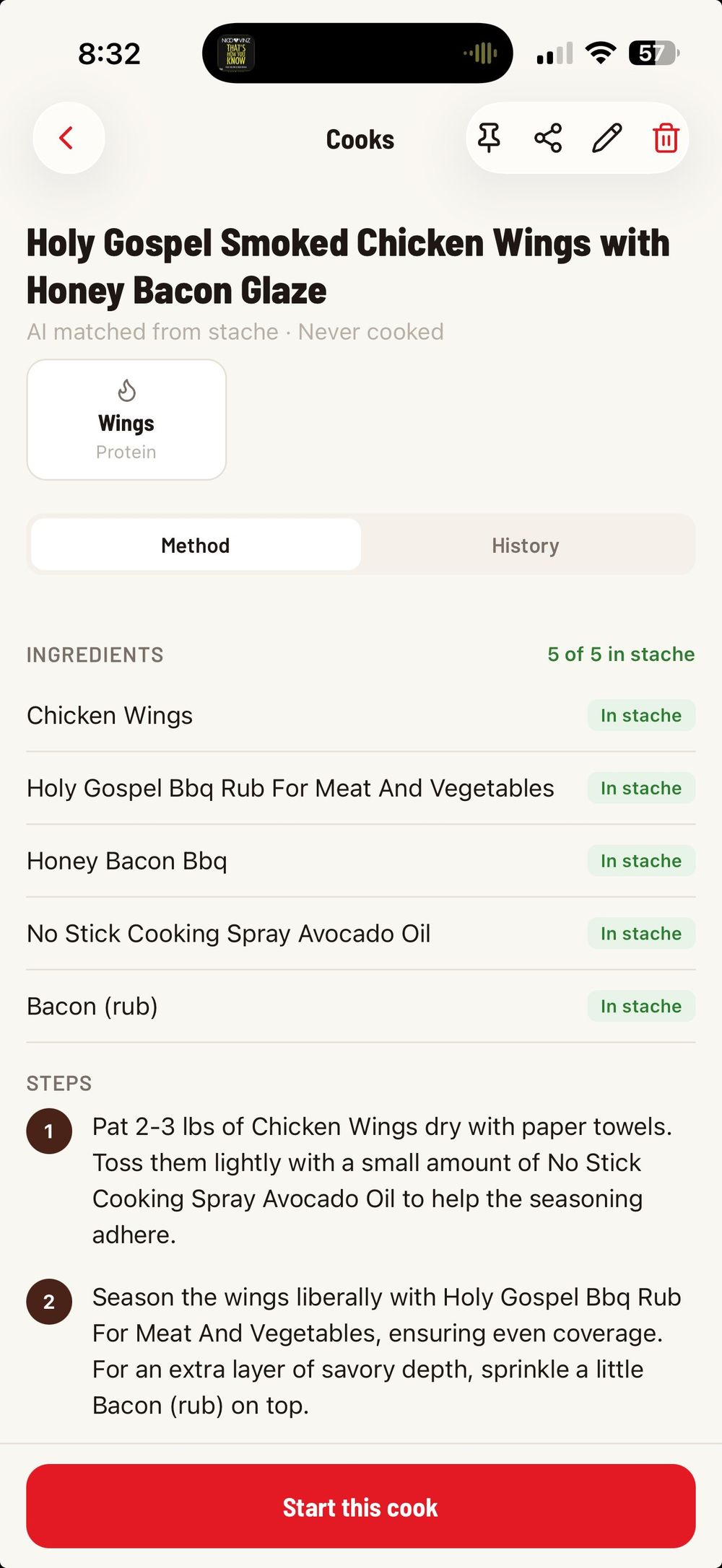
The cook shows "AI matched from stache" under the title so you know where it came from. All the ingredients, steps, and cook details are ready to go. Tap "Start this cook" to begin.
Tips for Better Suggestions
The more items in your stache, the better the suggestions. If you have only a couple of rubs and no meats tracked, the AI does not have much to work with. Build out your stache with the products you actually use and the suggestions will get more relevant.
Keep your stache statuses up to date. The AI uses items marked as "Have It" to build suggestions. If you have used something up but have not updated the status, it might suggest a cook using an ingredient you no longer have.
You can run "Match my stache" as often as you want — it generates fresh suggestions each time, so you will get different ideas even with the same inventory.
Was this helpful?
Still need help?
Email us at hello@cookstache.com