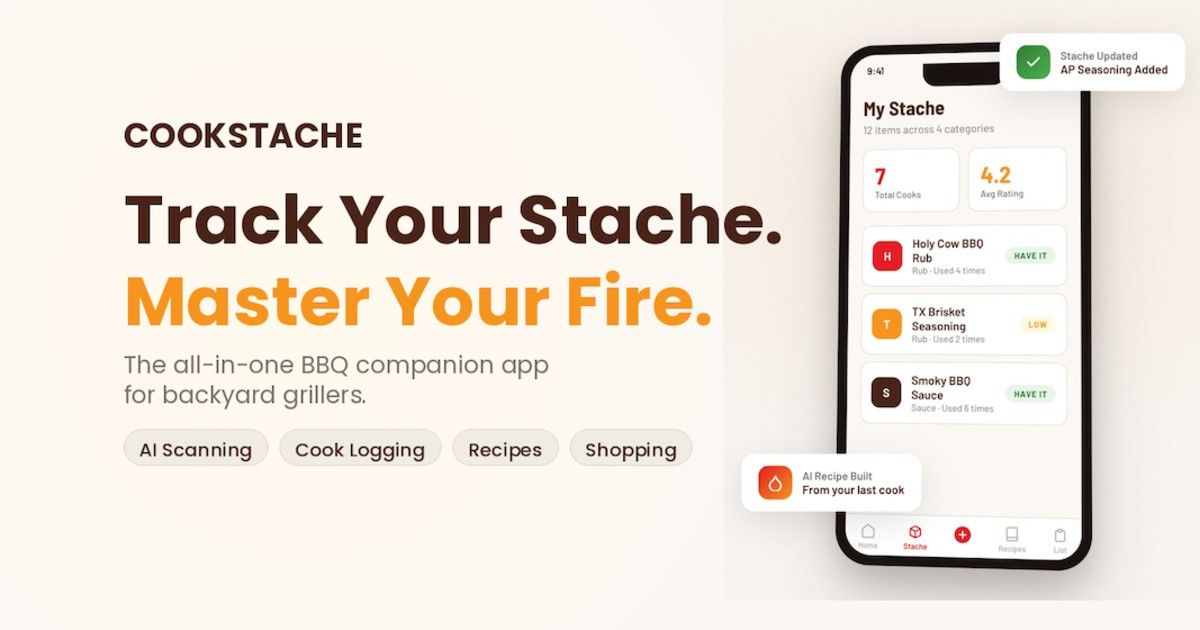
What Is CookStache? The Free BBQ Companion App for Backyard Grillers
If you are a backyard griller, you probably know this routine. You have a shelf full of rubs, sauces, and seasonings, and you have no idea what half of them are. You buy duplicates because you forgot what you already have. You nail a perfect brisket but three months later you cannot remember what rub you used or what temperature you pulled it at. You see a recipe online and have no idea if you already have the ingredients or need to make a store run.
CookStache was built to fix all of that.
It is a free BBQ companion app for backyard grillers and griddle cooks, currently in beta on iOS. The name comes from "stache" — as in mustache — because your collection of rubs, sauces, seasonings, oils, and wood is your stache. CookStache helps you build it, track it, and cook with it.
Join the CookStache Beta on TestFlight — sign in with your Apple account or email. Takes about 30 seconds.
Build Your Stache
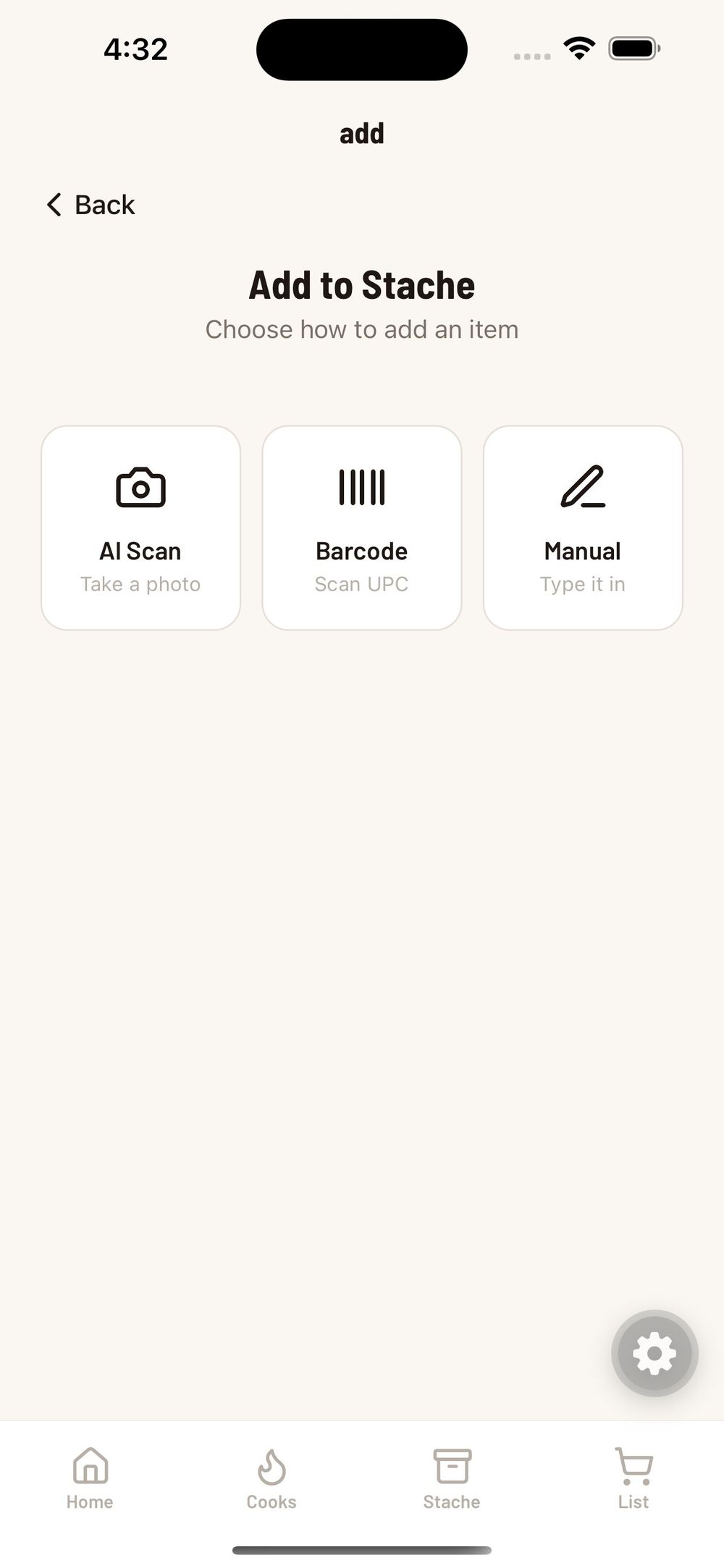
The first thing you do in CookStache is add what you already own. Grab the bottles off your shelf and start scanning. You have three ways to add items:
AI Scan — Point your camera at any BBQ product and the AI reads the label, identifies the product, and fills in the name, brand, and category for you. No barcode needed.
Barcode Scan — Scan the UPC on the package for an instant lookup.
Manual Entry — Type it in yourself if you prefer.
The AI scan is the fastest way to load up your collection. Grab a bottle, snap a photo, and the app identifies it in seconds. In this example, the AI correctly identified Meat Church Blanco as a seasoning and filled in the brand and category automatically. If the AI gets something wrong, you can edit the name, brand, or category on the confirm screen before saving — no harm done. Scanned images are used only to identify the product and are not stored or shared.
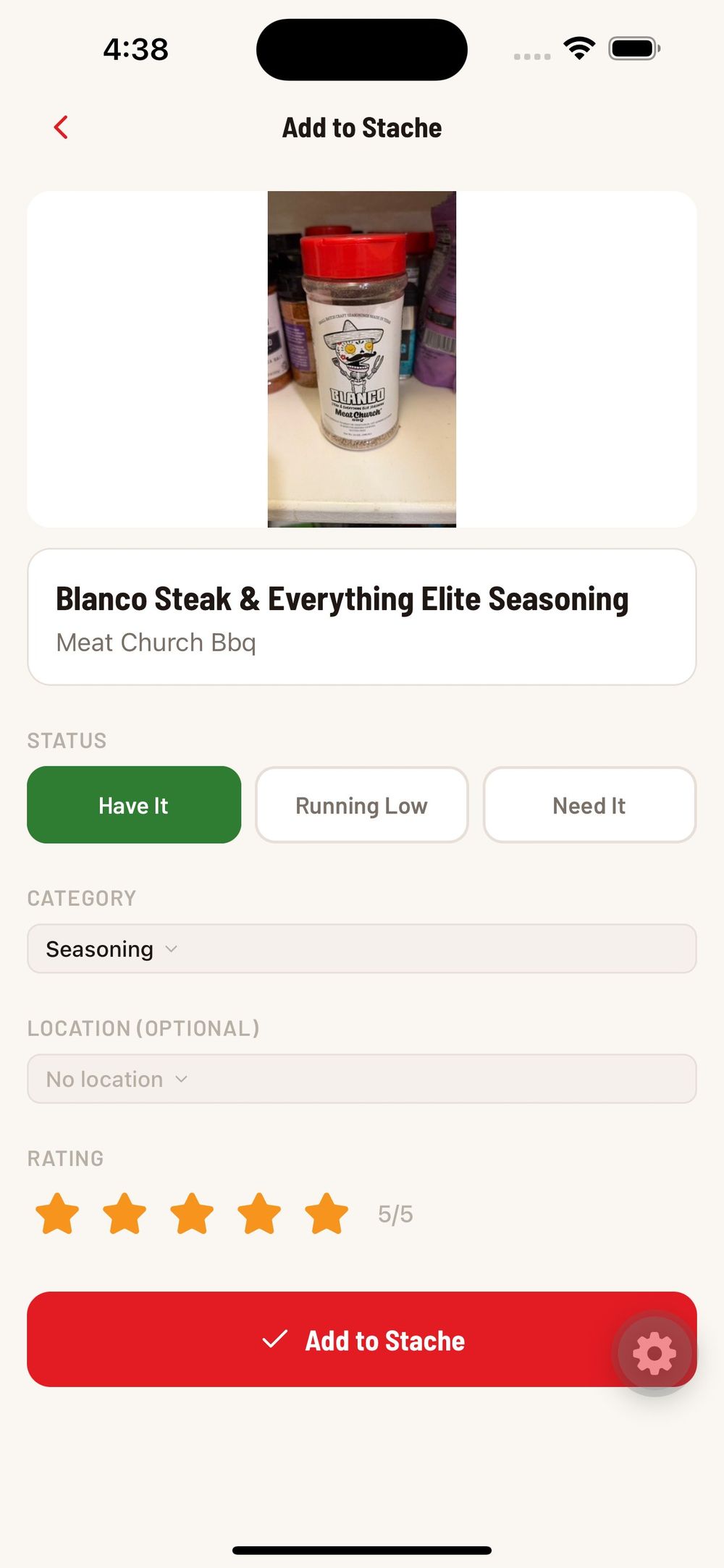
Every item in your stache has a status: Have It, Running Low, or Need It. When you mark something as running low, it drops onto your shopping list automatically so you never forget to restock. When you pick it up at the store and check it off your list, one tap moves it back into your stache as Have It.
If you have ever come home from HEB with a second bottle of the same rub because you could not remember whether you already had one, this is the fix. And if you have a shelf full of rubs and sauces that needs organizing, that is the perfect place to start.
Cook With Your Stache
Once your stache is built, CookStache helps you track every cook. This is where the app becomes more than an inventory tracker — it is your personal BBQ playbook.
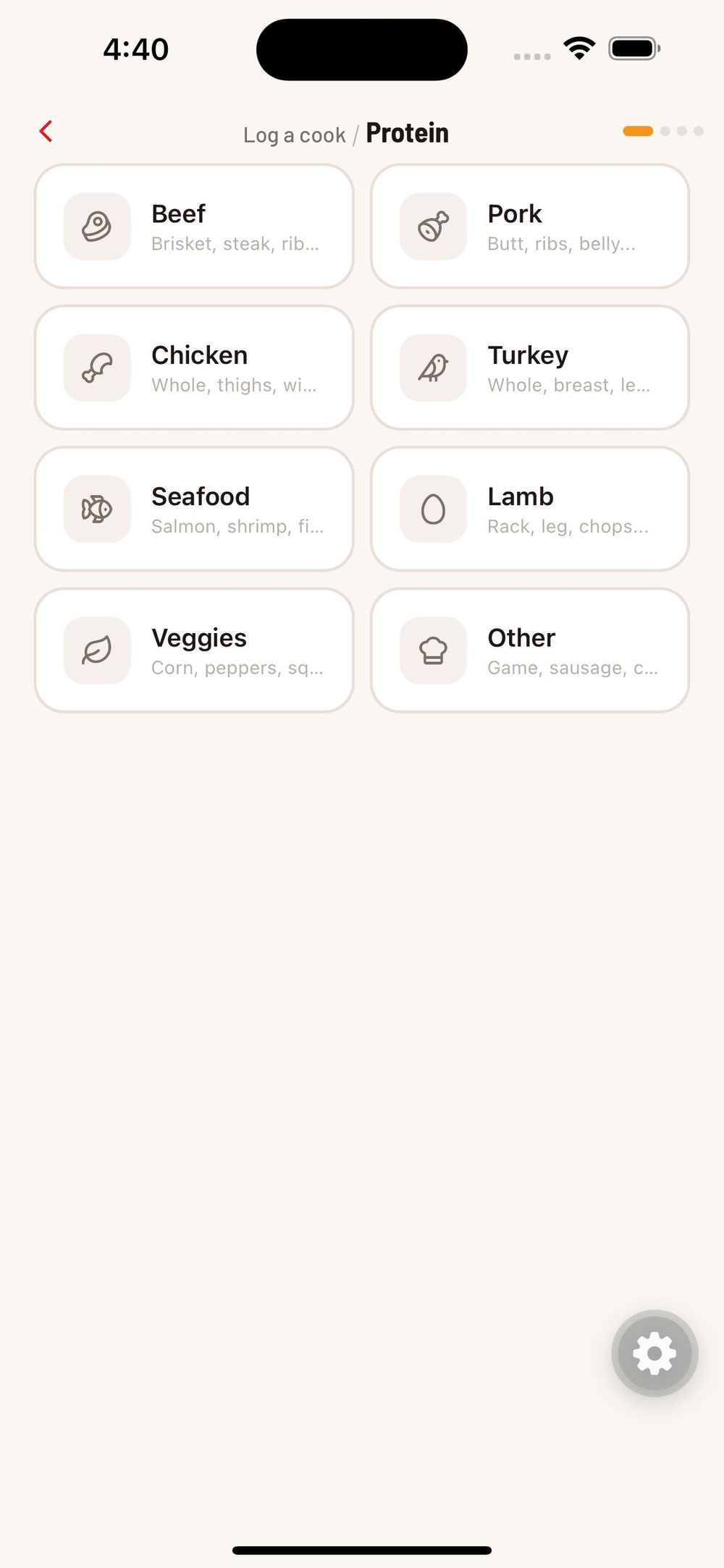
Start a new cook by picking your protein. Choose from brisket, pulled pork, ribs, chicken wings, steak, fajitas, smash burgers, salmon, and more.
Next, select what you are using from your stache. The app shows all your rubs, seasonings, sauces, and oils organized by category. Tap the checkbox next to everything going on this cook.
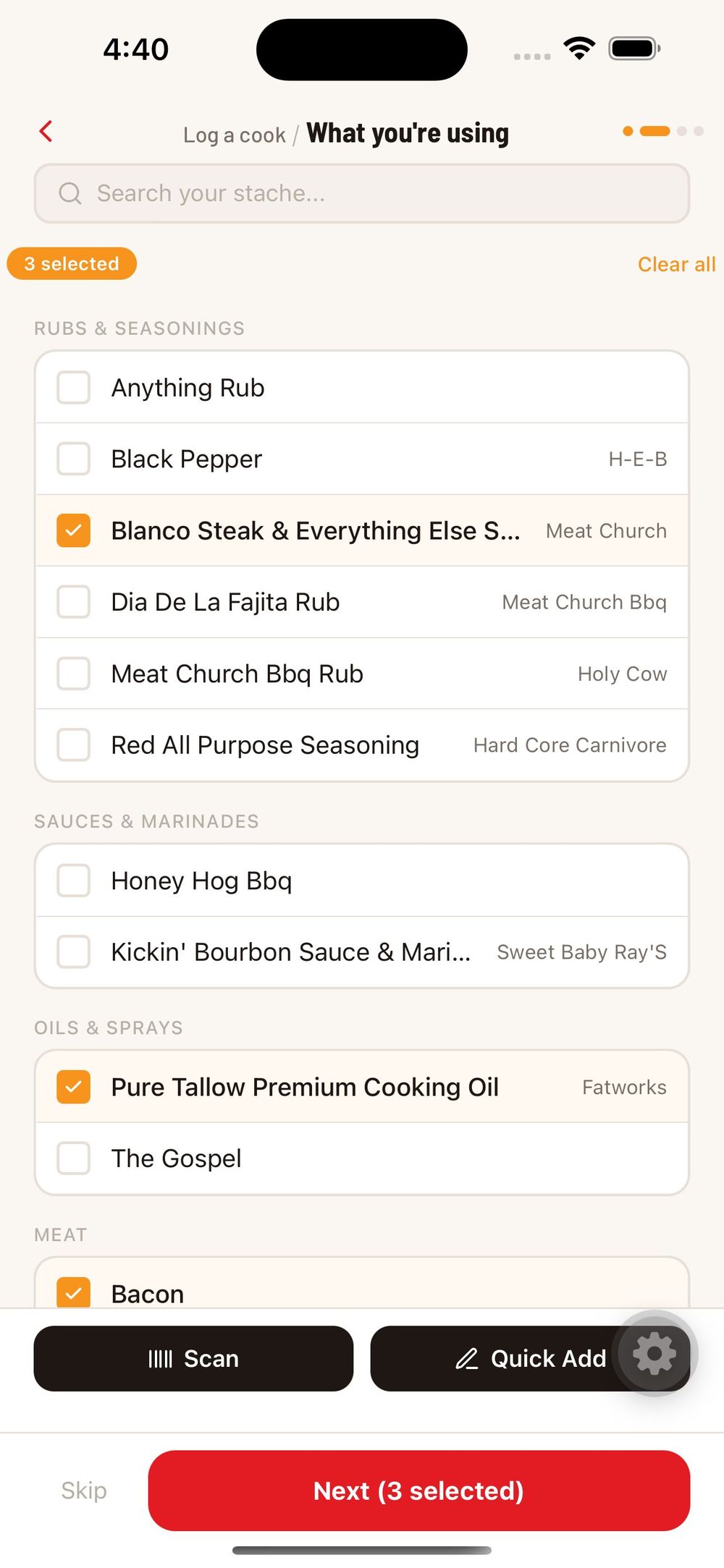
From there, you set your temperature, cook time, wood type, and any other details. When the cook is done, you rate it and add notes about what you would change next time.
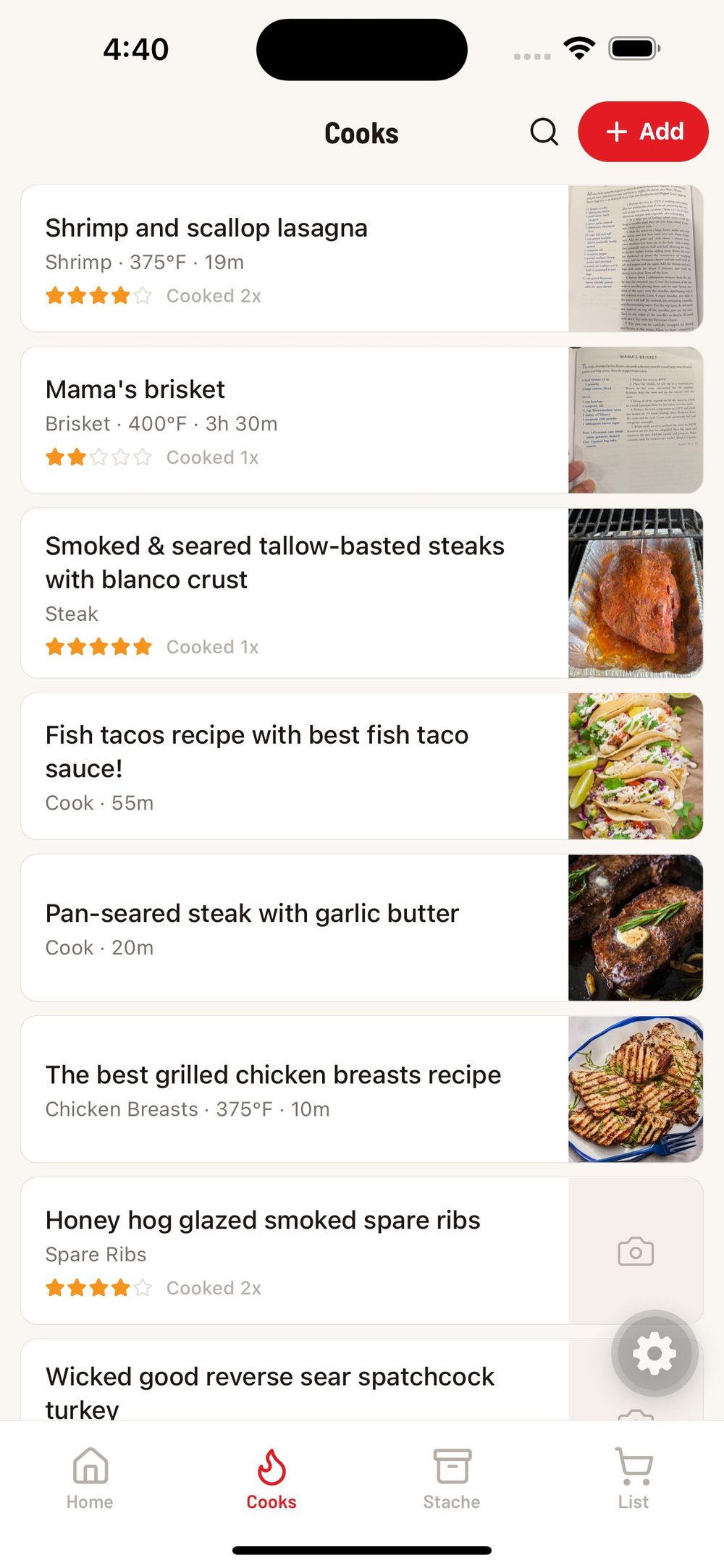
Your cook history lives in the Cooks tab as a scrollable list. Each card shows the cook name, protein, temperature, time, and your rating. Tap any cook to see the full details, every ingredient, and the step-by-step breakdown.
Last weekend I did a 14-hour brisket on my pellet smoker. Pulled it at 203 degrees, spritzed with apple juice every hour, wrapped in butcher paper at 165. Three months from now I do not have to guess what I did. CookStache tells me exactly that — the rub, the wood, the temps, the timing, all of it.
Guided Cook Mode
When you want to recreate a cook, you do not have to remember anything. Tap "Start this cook" and the app walks you through each step with checkable instructions. Your target pull temperature is displayed at the top so you always know what you are aiming for.
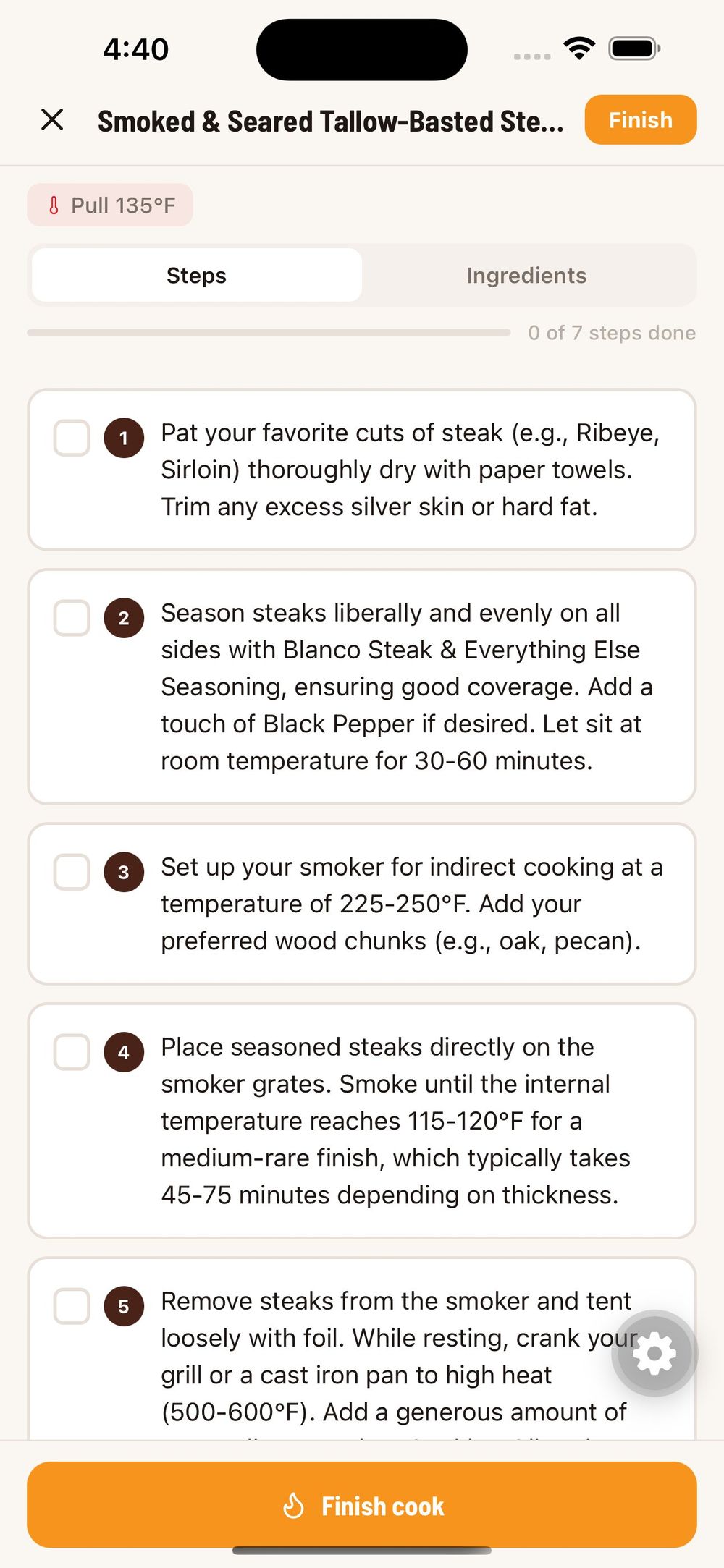
No more flipping between a recipe screenshot and a timer app. Everything is in one place, one screen at a time.
Import Any Recipe
See a recipe online you want to try? Paste the URL into CookStache and the AI extracts the full recipe — ingredients, steps, temperatures, and cook times. It matches every ingredient against your stache and tells you what you already have versus what you need to buy before you start.
This works with any recipe site. HowToBBQRight, Meat Church, Traeger, Serious Eats, whatever you find. One link, and it is in your cook library ready to go.
AI-Powered Suggestions
This is where everything comes together. Once you have a stache built and a few cooks logged, the AI starts working for you.
Tap "Match my stache" and the AI looks at what you actually have on your shelf right now and suggests cooks you can make without a trip to the store. It also provides pairing suggestions — wondering what rub works best on chicken thighs at 275 on your pellet grill? CookStache tells you based on what you own.
The more you use the app, the smarter it gets about what you cook and what you like.
Your Dashboard
The Home tab is your command center. At the top you see your stache count, total cooks logged, shopping list items, and your most recent additions.
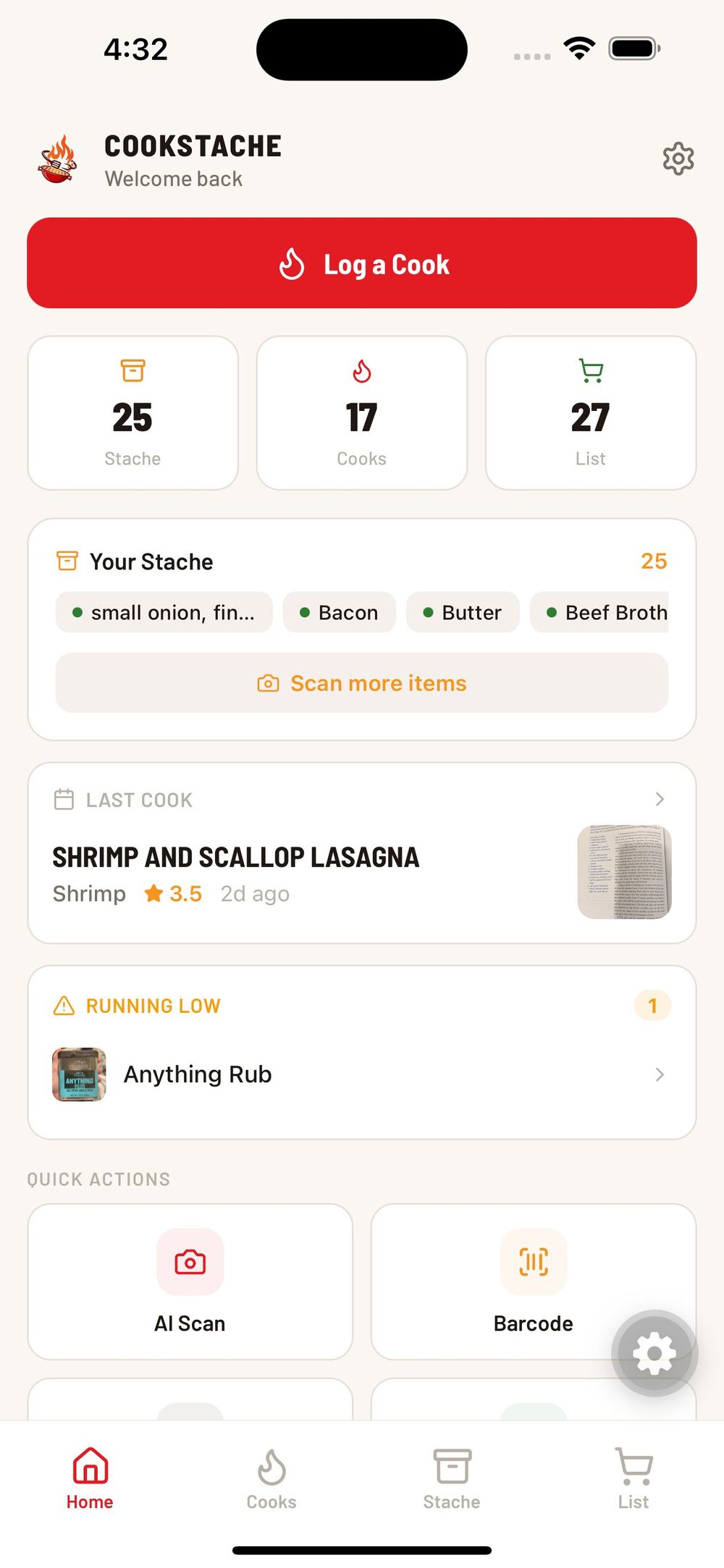
Scroll down for your last cook card, running low alerts for items that need restocking, quick action buttons to jump straight into scanning or logging, and curated YouTube videos tailored to your equipment.
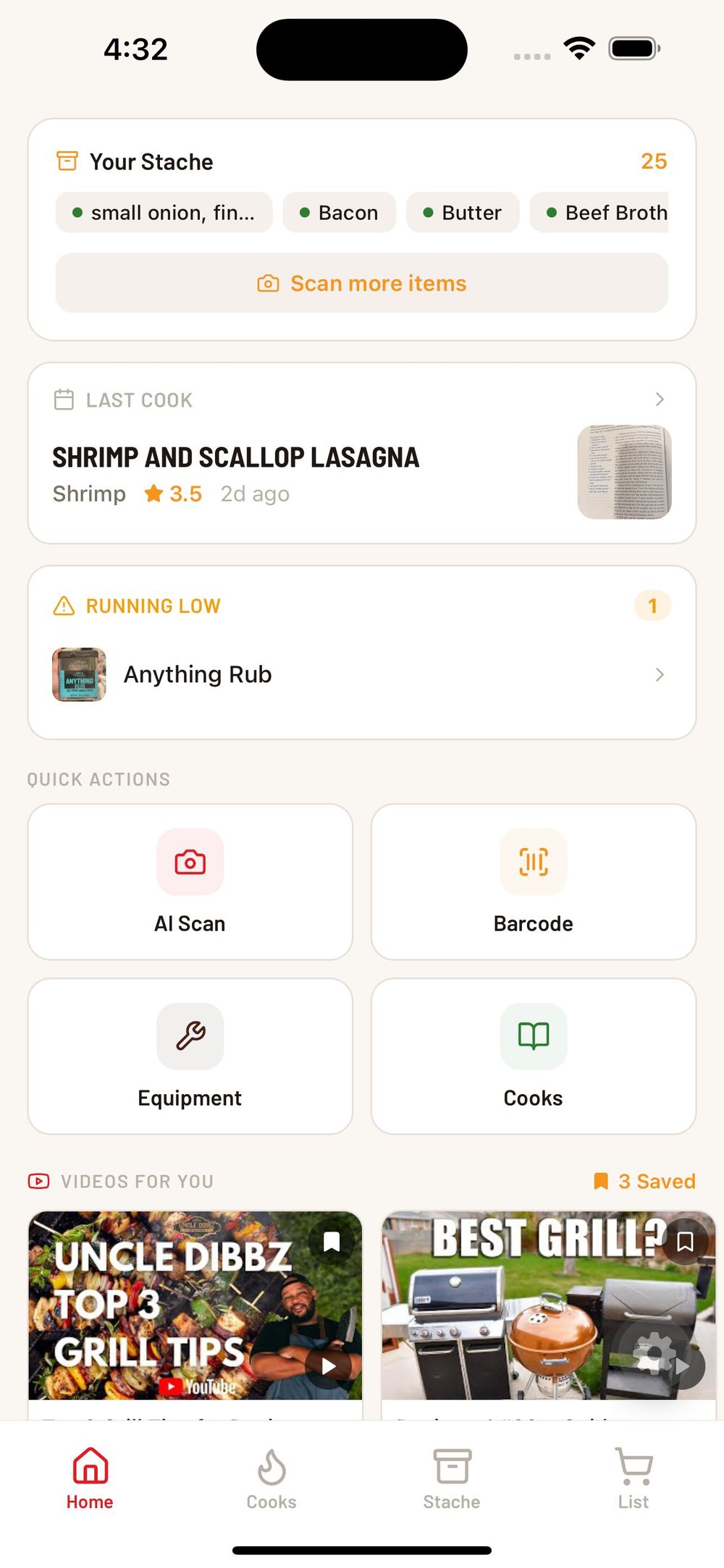
The dashboard is not filled with fake data or placeholder content. Every widget only appears once you have real data behind it. The more you use CookStache, the more useful it becomes.
Share Your Cooks
When you nail a cook, you can share it with the CookStache community and beyond. Your cook details — protein, rub, temps, time, rating — go out so other grillers can see what worked and try it themselves. It is a community built around real cooks from real backyards, not influencer content.
Who CookStache Is For
CookStache is for the weekend griller who fires up the Traeger, Weber, or Pit Boss every Saturday and wants to keep track of what works. It is for the guy with 30 rubs on a shelf who keeps buying duplicates at the store. It is for the Blackstone griddle cook who wants to log fajita night and remember which marinade was the good one. It is for anyone running a Big Green Egg, a Kamado Joe, an offset smoker, or a basic charcoal kettle who takes their backyard cooking seriously enough to want a system.
You do not need to be a competition pitmaster. If you are running 12-probe thermometers and managing a spreadsheet of every cook, you have probably outgrown what CookStache does today. But if you are a backyard griller who wants to get better without turning it into a job, this is built for you.
Join the Beta
CookStache is currently available on iOS through TestFlight. Android is on the roadmap.
We are looking for backyard grillers to help us test the app and shape the final product before it launches on the App Store. Your feedback directly influences what gets built next.
Frequently Asked Questions
Do I need a subscription to use CookStache?
No. CookStache is completely free with no paywalls, no subscriptions, and no premium tiers. Every feature is available to every use
Is CookStache available on Android?
CookStache is currently in beta on iOS only. Android is on the roadmap.
What grills and equipment does CookStache support?
All of them. Pellet grills, offset smokers, charcoal kettles, kamado grills, gas grills, griddles, electric smokers, and portable setups. You add your equipment in the app and CookStache tailors suggestions to what you cook on.
Does CookStache work offline?
You need an internet connection for AI features like scanning, recipe import, and cook suggestions. Your stache, cook history, and shopping list are available once loaded.
Can I import recipes from websites?
Yes. Paste any recipe URL into CookStache and the AI extracts the full recipe — ingredients, steps, temperatures, and times — and matches the ingredients against your stache so you know what you have and what you need to buy.