Importing Recipes from a URL
Found a great recipe online? Instead of bookmarking it and losing track, you can import it directly into CookStache. The AI reads the page, extracts the recipe details, and matches the ingredients against your stache so you know exactly what you have and what you need to buy.
How to Import a Recipe
Go to the Cooks tab, tap "+ Add" in the top right, and select "Add from a link." A bottom sheet slides up with a text field where you can paste any recipe URL.
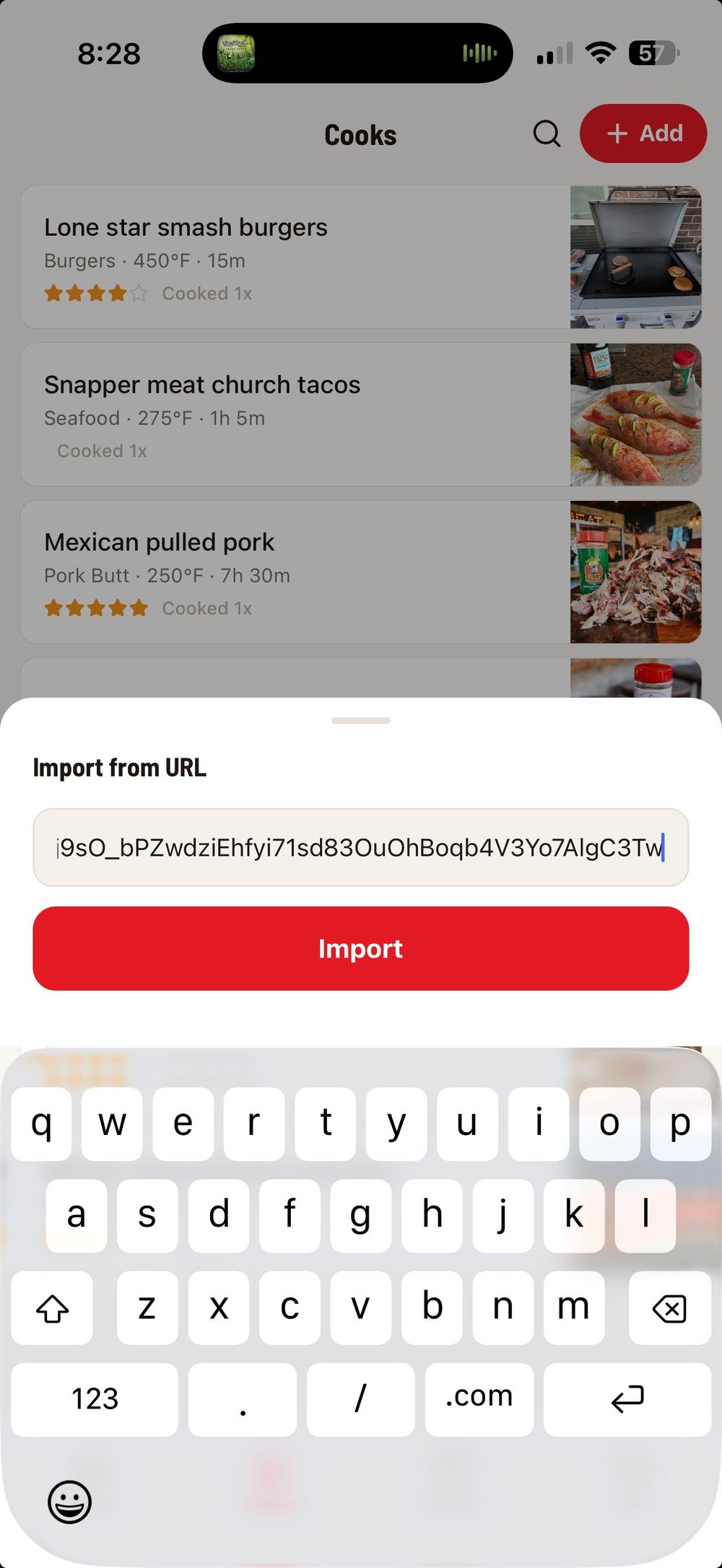
Copy the URL from your browser, a social media post, or a message, paste it into the field, and tap the red "Import" button. The AI goes to work fetching the page and extracting the recipe.
What You Get
After a few seconds, the imported recipe appears as a full cook card with everything pulled from the original page.
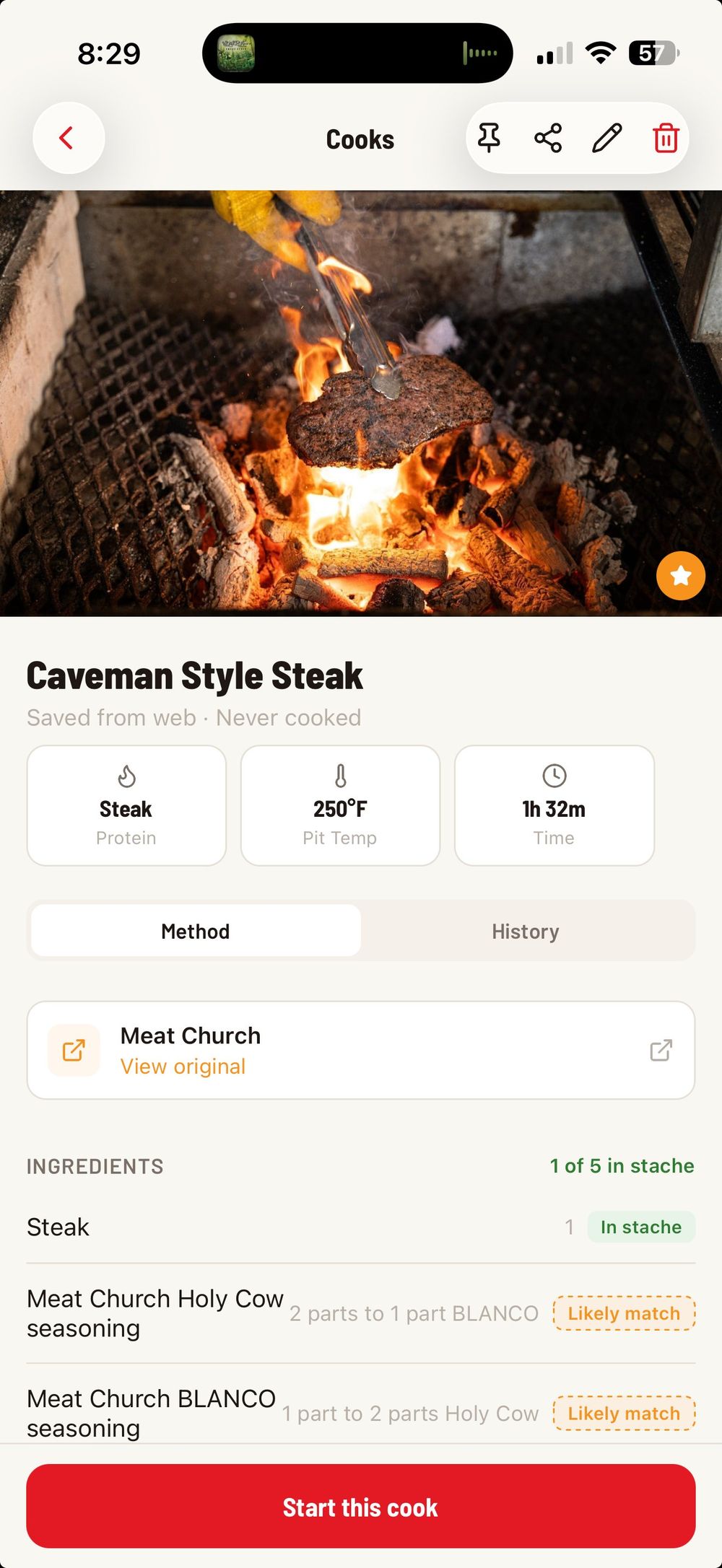
The AI extracts the recipe title, hero image, protein type, pit temperature, cook time, and the source. You will see a "View original" link that takes you back to the original recipe page so you always have the source handy.
The real power is in the ingredient matching. CookStache compares every ingredient in the recipe against your stache and tags each one:
"In stache" (green) means you already have this item.
"Likely match" (orange dashed) means the AI found something similar in your stache that is probably the right product.
"Not in stache" (gray) means you will need to buy this ingredient.
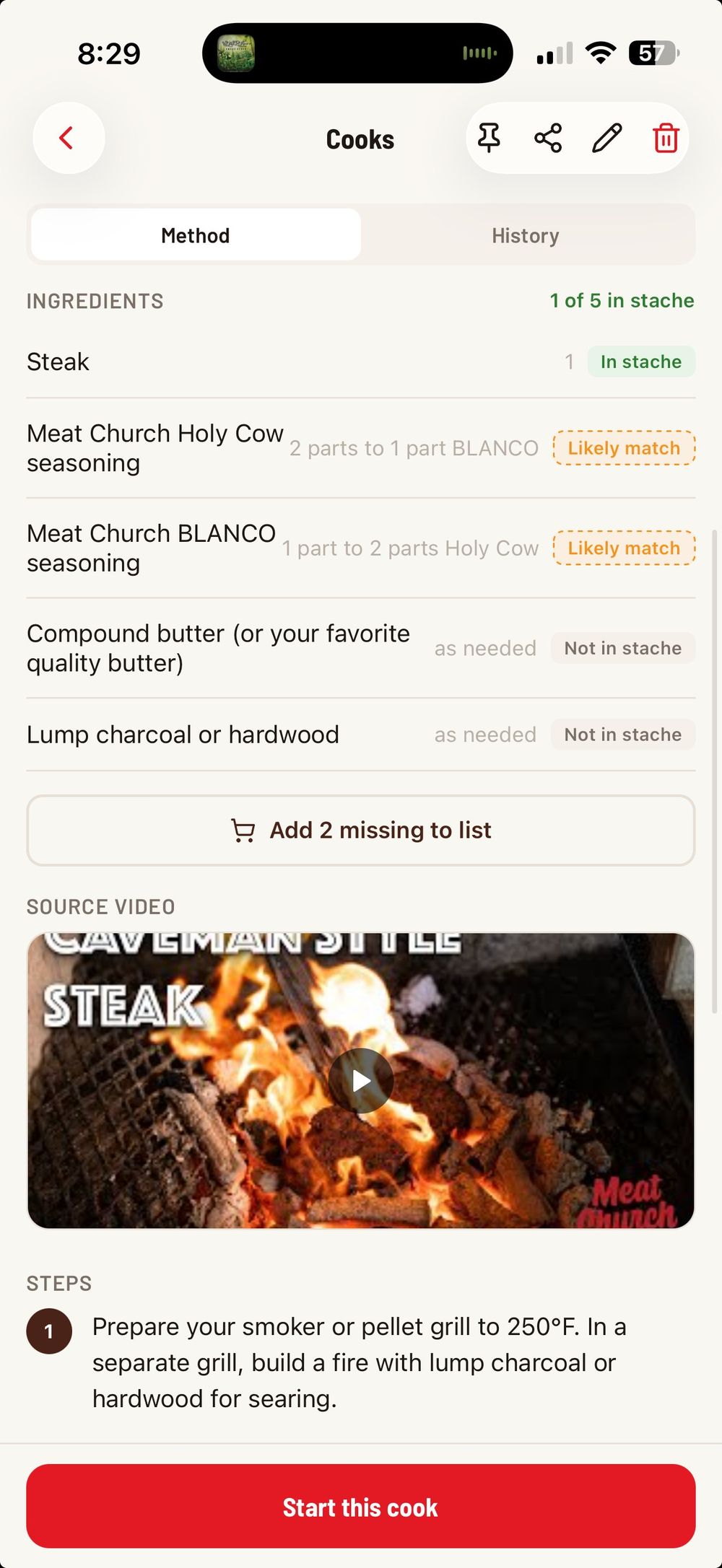
At the bottom of the ingredients section, tap "Add missing to list" to send all the items you do not have straight to your shopping list in one tap. No need to manually write out what you are missing.
If the original recipe came from a YouTube video, the source video is embedded right in the cook so you can watch it while you prep.
Step-by-Step Instructions
Scroll down past the ingredients to find the full step-by-step cooking instructions, extracted and numbered from the original recipe.
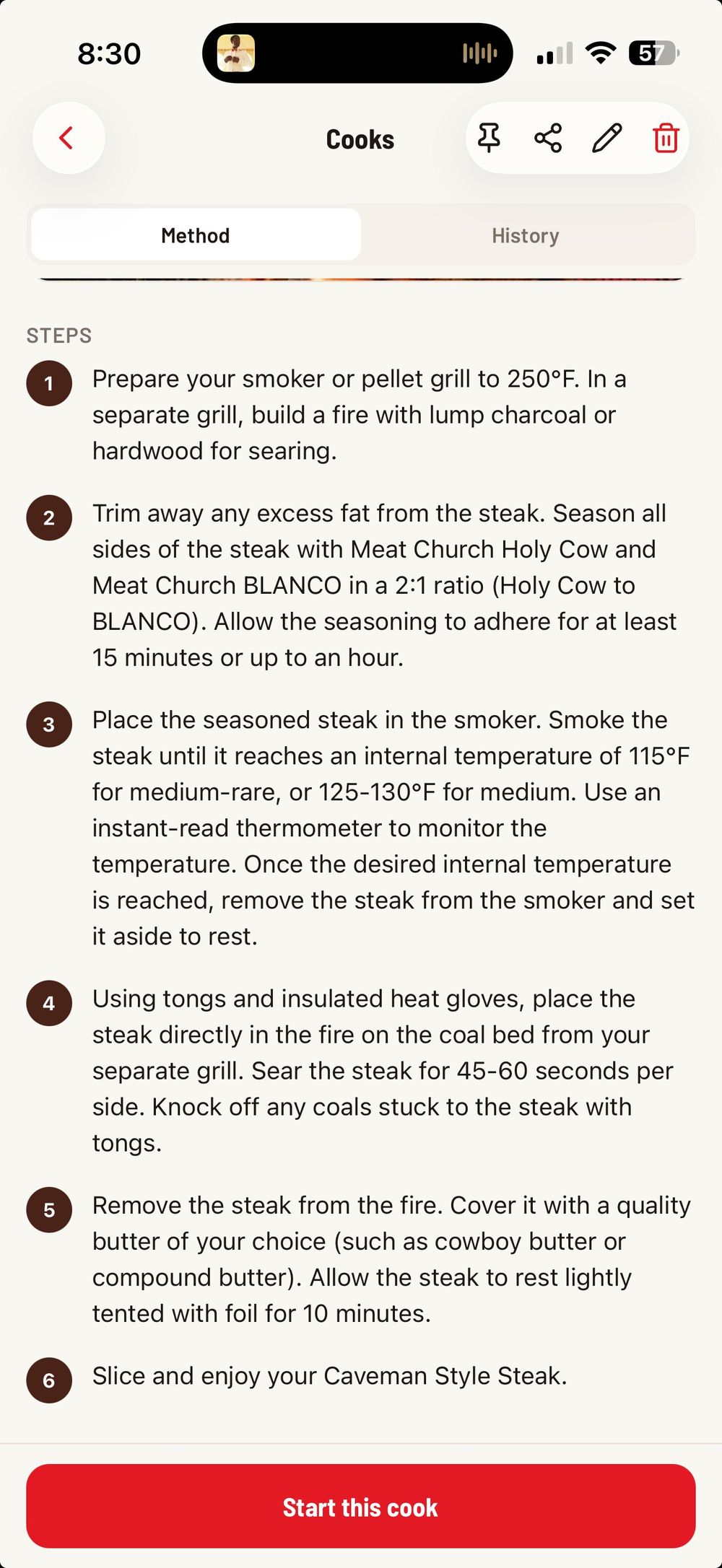
Once the recipe is saved, tap "Start this cook" to kick off a guided cook session where you can check off each step as you go.
Tips for Best Results
Most major recipe sites work well — blogs, YouTube descriptions, and cooking publications all import cleanly. The AI reads the structured recipe data on the page when available, and falls back to reading the page content when needed.
If a URL does not import correctly, the page might be behind a paywall or use a format the AI cannot parse. In that case, try the "Scan a recipe" option instead — take a screenshot of the recipe on your phone and scan the image directly.
Was this helpful?
Still need help?
Email us at hello@cookstache.com